TRX to BTC: Step-by-Step Guide for Best Swap Rates
Want to convert TRX to BTC without sign-ups or KYC? This step-by-step guide shows you how to get the best TRX to BTC rates safely and privately on SwapRocket.
| Method | KYC Required | Custody of Funds | Typical Speed | Ease of Use |
|---|---|---|---|---|
| Centralized Exchange (CEX) | Yes (usually) | Exchange holds funds | 10–60+ minutes | Medium |
| On-Chain DEX / Bridge | No (usually) | You keep your keys | 10–40 minutes | Hard (multi-steps) |
| SwapRocket (Instant Swap) | No | You keep your keys | 5–20 minutes | Easy |
If you hold TRX and you’re thinking, “I should really move some of this into Bitcoin,” you’re not alone.
Maybe you’re taking profit from Tron’s ecosystem, or you just want to park value in something more battle-tested like BTC. The problem? Most ways to convert TRX to BTC feel slow, KYC-heavy, or confusing.
Let’s fix that.
This guide walks you through exactly how to swap TRX to BTC — fast, privately, and with solid rates — using non-custodial, no-KYC tools like SwapRocket.
---
TL;DR – TRX to BTC in a Few Minutes
- Use a non-custodial, no-KYC swap platform like SwapRocket.
- Enter TRX as the coin you send and BTC as the coin you receive via the exchange page.
- Paste your BTC wallet address, confirm the rate, and send TRX to the provided deposit address.
- After network confirmations (usually a few minutes), you receive BTC directly in your wallet.
- No account, no KYC, no custody — you stay in control of your keys.
---
Why People Swap TRX to BTC in 2025
TRX (Tron) is popular for cheap, fast transactions and USDT transfers, but Bitcoin still plays a different role in most people’s portfolios.
You might want to convert TRX to BTC because:
- You see BTC as your long-term store of value.
- You earned TRX from staking, trading, or airdrops and want to rotate into BTC.
- You’re exiting Tron’s ecosystem but staying in crypto instead of cashing out.
- You want to hedge against Tron-specific risks by moving into Bitcoin.
Think of TRX as the fast highway and BTC as the digital gold vault. Swapping TRX to BTC is like driving profits from the highway straight into the vault.
TRX vs BTC in Plain English
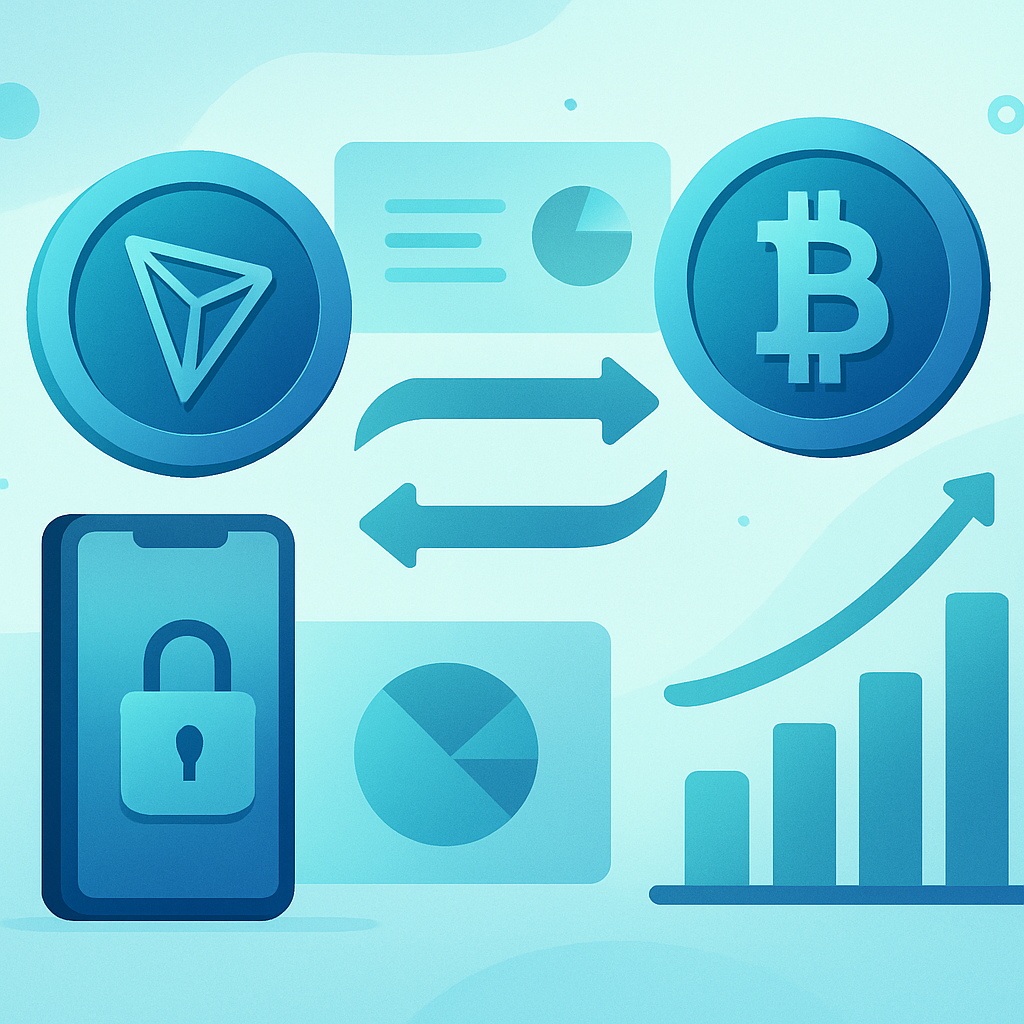
Before you hit swap, it helps to understand what you’re actually trading between.
What is TRX (Tron)?
Tron is a high-throughput blockchain known for:
- Very low fees (often fractions of a cent)
- Fast confirmations (seconds)
- Heavy use for USDT transfers and DeFi on Tron
TRX is the native token that powers gas, staking, and governance on the network.
What is BTC (Bitcoin)?
Bitcoin is the original cryptocurrency and the largest by market cap. It’s slower and more expensive per transaction than Tron, but it’s widely seen as:
- A long-term store of value
- A macro asset that institutions understand
- The base asset for many crypto portfolios
When you convert TRX to BTC, you’re usually trading:
- Higher utility and speed → for
- Higher perceived security and long-term value
3 Main Ways to Convert TRX to BTC
You basically have three paths:
- Centralized exchanges (CEXs)
- On-chain DEX routes/bridges
- Non-custodial, no-KYC swap services like SwapRocket
Here’s how they compare at a glance.
Quick Comparison: TRX to BTC Methods
Let’s break these down quickly.
1. Centralized Exchanges (CEXs)
This is the “traditional” route:
- Deposit TRX to the exchange
- Trade TRX/USDT or TRX/BTC
- Withdraw BTC to your wallet
Pros:
- Deep liquidity and good pricing on big platforms
- Margin, futures, and other instruments if you want them
Cons:
- KYC almost always required
- Exchange holds your funds (custodial)
- Withdrawal limits, delays, or freezes are possible
- Extra steps, extra fees (withdrawal + trading + sometimes deposit)
If privacy and self-custody matter to you, or you don’t want to pass KYC, this path is not ideal.
2. On-Chain DEX / Bridge Routes
There are also DEX or cross-chain routes where you:
- Swap TRX to a stablecoin or wrapped asset
- Bridge to another chain
- Swap again into BTC or wrapped BTC
This can work, but it’s often:
- Multi-step and confusing
- Easier to mess up with wrong networks
- More expensive in gas and bridge fees
It’s great if you’re a power user, but if you just want a clean TRX to BTC converter, there’s an easier way.
3. Non-Custodial, No-KYC Swaps (SwapRocket)
Platforms like SwapRocket specialize in direct, instant swaps:
- You send TRX from your own wallet
- You receive BTC in your own wallet
- No accounts, no KYC, no custodial risk
SwapRocket aggregates liquidity under the hood to give you competitive pricing across 200+ coins.
For most people looking up “trx to btc”, this is the fastest and simplest option.
How TRX to BTC Works Behind the Scenes (Simple Version)
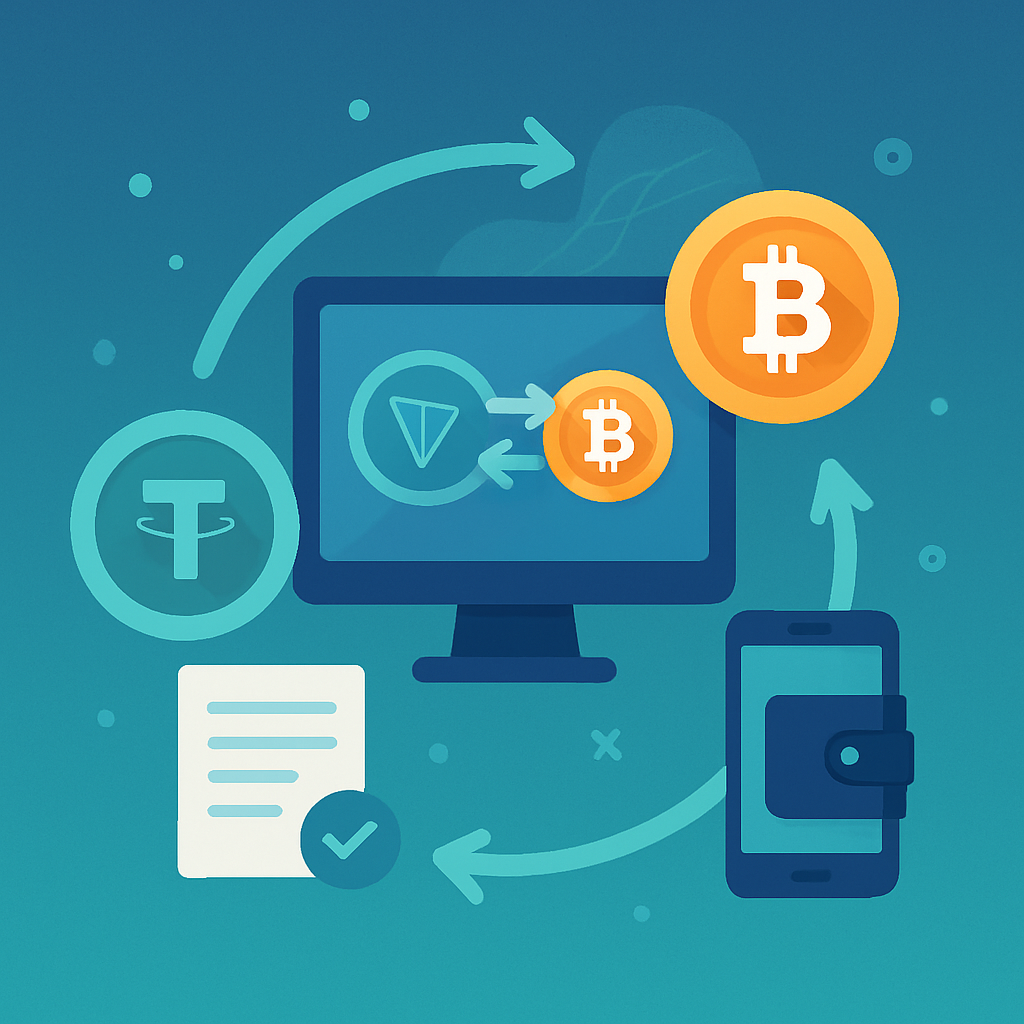
When you use a TRX to BTC converter like SwapRocket, this is roughly what happens:
- You choose how much TRX you want to swap.
- SwapRocket checks multiple liquidity providers for the best route and rate.
- You get a quote with the estimated BTC you’ll receive.
- You send TRX to a one-time, unique deposit address.
- After Tron network confirmations, SwapRocket executes the trade in the background.
- BTC is sent directly to the BTC address you provided.
At no point does SwapRocket ask you to give up control of your entire wallet or pass KYC. It’s a non-custodial, no-KYC exchange flow from start to finish.
Step-by-Step: Swap TRX to BTC on SwapRocket
Let’s walk through the full process like you’re doing it for the first time.
Step 1: Prepare Your Wallets
You’ll need:
- A wallet that holds your TRX (for example: TronLink, Trust Wallet, Ledger, etc.).
- A Bitcoin wallet address where you’ll receive BTC (for example: Sparrow, BlueWallet, Ledger, Trezor, or any BTC-compatible wallet).
Make sure:
- You have enough TRX to cover the amount + network fee.
- Your BTC address is correct and under your control.
Step 2: Go to SwapRocket’s Exchange Interface
Open the SwapRocket exchange page.
You’ll see a simple interface where you choose:
- The coin you’re sending (From)
- The coin you’re receiving (To)
Step 3: Select TRX → BTC
In the From field, select TRX (Tron).
In the To field, select BTC (Bitcoin).
Enter the amount of TRX you want to convert. The interface will show you the estimated BTC you’ll receive, based on current market conditions and liquidity.
If you just want to play with numbers before committing, you can also use the general crypto converter tool as a quick TRX to BTC calculator.
Step 4: Paste Your BTC Address
Copy your Bitcoin receiving address from your BTC wallet.
Paste it carefully into the BTC address field on SwapRocket.
Double-check:
- It’s a valid BTC address type your wallet supports (e.g., starts with
bc1,3, or1). - You didn’t accidentally paste a Tron or exchange memo/tag.
This address is where your BTC will be delivered after the swap.
Step 5: Review the Rate, Fees, and Limits
Before you confirm, take a moment to check:
- Estimated BTC received – how much BTC you’ll likely get.
- Fees – SwapRocket’s fee is built into the quote, and Tron fees are usually very low.
- Min/Max amount – some very small swaps may not be economical.
Because SwapRocket aggregates liquidity, you’re effectively getting a smart route to a competitive rate across providers — without having to check each one manually.
Step 6: Confirm and Get the Deposit Address
Once you’re happy with the quote, confirm the swap.
SwapRocket generates a unique TRX deposit address for this swap. Think of it as a one-time “tunnel” from your TRX wallet to your final BTC output.
You’ll see:
- The exact TRX amount to send
- The deposit address on the Tron network
- A time window in which the rate/quote remains valid
Step 7: Send TRX From Your Wallet
Now head to your TRX wallet and:
- Click Send
- Paste the deposit address SwapRocket gave you
- Enter exactly the amount of TRX shown in the order
- Confirm the transaction
Because Tron is fast, your TRX should hit the deposit address in seconds to a couple of minutes.
Step 8: Wait for Confirmations and Receive BTC
Once your TRX transaction is detected and confirmed on Tron, SwapRocket executes the swap and sends BTC to your address.
Timing depends mostly on:
- Tron network load (usually fast)
- Bitcoin network conditions (10–60 minutes is typical, but often around one block)
You don’t need to keep the browser tab open, but it’s helpful if you want to watch the status.
When it’s done, you’ll see BTC in your wallet, and the swap is complete.
How to Get the Best TRX to BTC Rates
A “best rate” TRX to BTC swap is about more than just the headline price.
Here are a few practical tips.
1. Watch Network Fees
- Tron fees are usually tiny, but still check you’re not sending too many tiny partial swaps.
- Bitcoin fees fluctuate more. If BTC fees are high, very small swaps may be less efficient.
If you’re swapping a modest amount, it can be cheaper to do one larger swap instead of multiple tiny ones.
2. Avoid Extreme Volatility Moments
When the market is going crazy (double-digit swings in minutes), spreads widen and liquidity thins.
If possible, avoid swapping exactly during:
- Major news announcements
- Huge BTC or TRX pumps/dumps
Even waiting 30–60 minutes can sometimes give you a noticeably better TRX to BTC quote.
3. Compare Implied Rates Without Wasting Time
If you’re curious how SwapRocket’s rates compare, you can:
- Check your TRX→BTC rate on SwapRocket
- Glance at a major exchange’s TRX/BTC pair
Remember to account for:
- Trading fees
- Withdrawal fees
- Time and KYC cost
In many cases, once you factor in those hidden costs, a direct non-custodial TRX to BTC converter ends up being very competitive.
4. Understand Fixed vs Floating Rates (If Offered)
Some swap flows offer fixed or floating rates:
- Fixed rate: you know exactly what you’ll get, but the fee/spread may be a bit higher.
- Floating rate: you get the market rate at execution time, which can be slightly better or worse.
If you expect low volatility, floating can be fine. If the market is jumpy and you want certainty, fixed may be worth it.
Privacy, Security, and No-KYC Swaps
For a lot of crypto users, especially in 2025, privacy is not about hiding something; it’s about not oversharing sensitive data.
Here’s how SwapRocket’s approach helps.
Non-Custodial by Design
With SwapRocket:
- You never deposit into a centralized account.
- You never hand over your private keys.
- You control your TRX wallet and BTC wallet the entire time.
If a platform doesn’t hold your funds, it can’t freeze or rehypothecate them.
No KYC – Why That Matters
To convert TRX to BTC on SwapRocket, you don’t need to:
- Upload ID documents
- Share selfies
- Hand over proof of address
This reduces:
- The risk of your personal data being leaked
- Friction and waiting times
For a deeper dive into privacy-first swapping, you can check SwapRocket’s privacy-focused Monero and Bitcoin swapping guide, which applies similar principles to BTC ↔ XMR swaps.
Security Basics You Still Control
Even with a safe, non-custodial swap platform, you’re still responsible for:
- Using hardware or reputable software wallets
- Checking URLs (avoid phishing clones)
- Double-checking addresses before sending
Think of SwapRocket as the highway — but you’re still the one driving the car.
Common TRX to BTC Mistakes (And How to Avoid Them)
Everyone makes mistakes in crypto at some point. Here are the big ones to avoid with TRX to BTC swaps.
1. Sending to the Wrong Network
- TRX is on the Tron network.
- BTC is on the Bitcoin network.
Don’t paste a BTC address into your TRX wallet send field. Always:
- Send TRX from a Tron wallet to the Tron deposit address provided.
- Receive BTC to a Bitcoin wallet.
2. Messing Up the Amount
Some swaps are very sensitive to the amount sent.
If the SwapRocket order says send 1,000 TRX, don’t send 997 TRX because you subtracted a fee in your head. Let your wallet handle the network fee automatically and send the exact order amount.
3. Ignoring Expiry Windows
Swap quotes are time-limited.
If you start a TRX to BTC order and then send funds too late (for example, an hour after the quote expired), the rate may need to be recalculated. Always send during the active window shown.
4. Using Exchange Deposit Addresses for Complex Swaps
If you send BTC straight to a centralized exchange deposit address, make sure:
- The exchange supports standard BTC deposits from external addresses.
- You understand any minimum deposit limits.
For maximum control, many users prefer receiving BTC into their own wallet first, then sending to exchanges if needed.
TRX to BTC, Then What? Portfolio Ideas
Once you hold BTC, you have more options:
- Park it as a long-term hold.
- Use BTC as a base asset to swap into privacy coins (e.g., BTC → XMR) – see the Bitcoin to Monero no-KYC guide.
- Move between BTC and ETH as market conditions change – see the Bitcoin to Ethereum swap guide.
SwapRocket supports 200+ cryptocurrencies, so TRX → BTC is just one path among many.
If you ever want to rotate some BTC into stablecoins for stability or to park profits, check out specific routes like BTC → USDT using tools like the BTC to USDT converter.
FAQ: TRX to BTC Swaps on SwapRocket
How long does a TRX to BTC swap usually take?
Most swaps complete in 5–20 minutes, depending on:
- Tron network speed (usually very fast)
- Bitcoin network congestion and fee level
In heavy BTC traffic, it can take longer, because Bitcoin block times average ~10 minutes per block.
What’s the minimum TRX amount I can convert to BTC?
Minimums can change over time as fees and liquidity shift.
When you start a swap on the exchange page, SwapRocket will clearly show any minimum and maximum TRX amounts for TRX → BTC.
Is there a TRX to BTC calculator on SwapRocket?
Yes. You can use the converter tool as a live TRX to BTC calculator.
Just select TRX as the coin you send and BTC as the coin you receive. You’ll see an estimated output amount before starting the actual swap.
Do I need to create an account or pass KYC?
No.
SwapRocket is a non-custodial, no-KYC swap platform. You don’t create an account, and you don’t upload documents just to swap TRX to BTC.
Can I buy TRX or BTC with a card, then swap?
If you’re starting from fiat (like USD or EUR), you can:
- Use the Buy Crypto page to purchase a supported asset with card or bank methods.
- Then use the exchange interface to swap into TRX or BTC as needed.
Similarly, if you ever want to cash out, there’s a Sell Crypto section for that.
Where can I see all supported coins?
You can view the full list on the supported cryptocurrencies page.
TRX and BTC are both supported, along with 200+ other assets across multiple chains.
What if something goes wrong with my swap?
If you think something’s off (unusual delay, wrong amount sent, etc.):
- First, check the status of your transaction on the Tron and Bitcoin explorers.
- Then visit the FAQ for troubleshooting steps.
- If you still need help, reach out through the contact page.
SwapRocket’s support can look up your swap by transaction hash or order ID.
Related Reading: Go Deeper Into Smart Swaps
If you found this TRX to BTC guide helpful, these articles will help you level up your swap game:
- Exchange BTC to XMR Without KYC – Complete Guide
- Exchange BTC to ETH Without KYC – Step-by-Step
- BTC to USDT Guide – Fast, Private Swaps Explained
Each one builds on the same principles: non-custodial, privacy-first, and focused on getting solid rates without jumping through centralized hoops.
Ready to Swap TRX to BTC Now?
You don’t need an account, KYC, or a trading terminal to move from TRX into Bitcoin.
With SwapRocket, you can:
- Swap TRX → BTC in minutes
- Keep full control of your wallets and keys
- Benefit from competitive rates via aggregated liquidity
- Stay private — no KYC, no signup
Head to the SwapRocket exchange page, select TRX → BTC, paste your BTC address, and complete your swap on your own terms.
Your TRX doesn’t need to sit still — turn it into BTC safely and efficiently today.